Whether you're running a referral contest or just curious to know who is sharing your campaign and helping you raise funds, you can easily follow this in your campaign's Referrals dashboard.
When you're logged in and on your campaign page, you'll find the Referrals dashboard in the Contributions tracking menu.
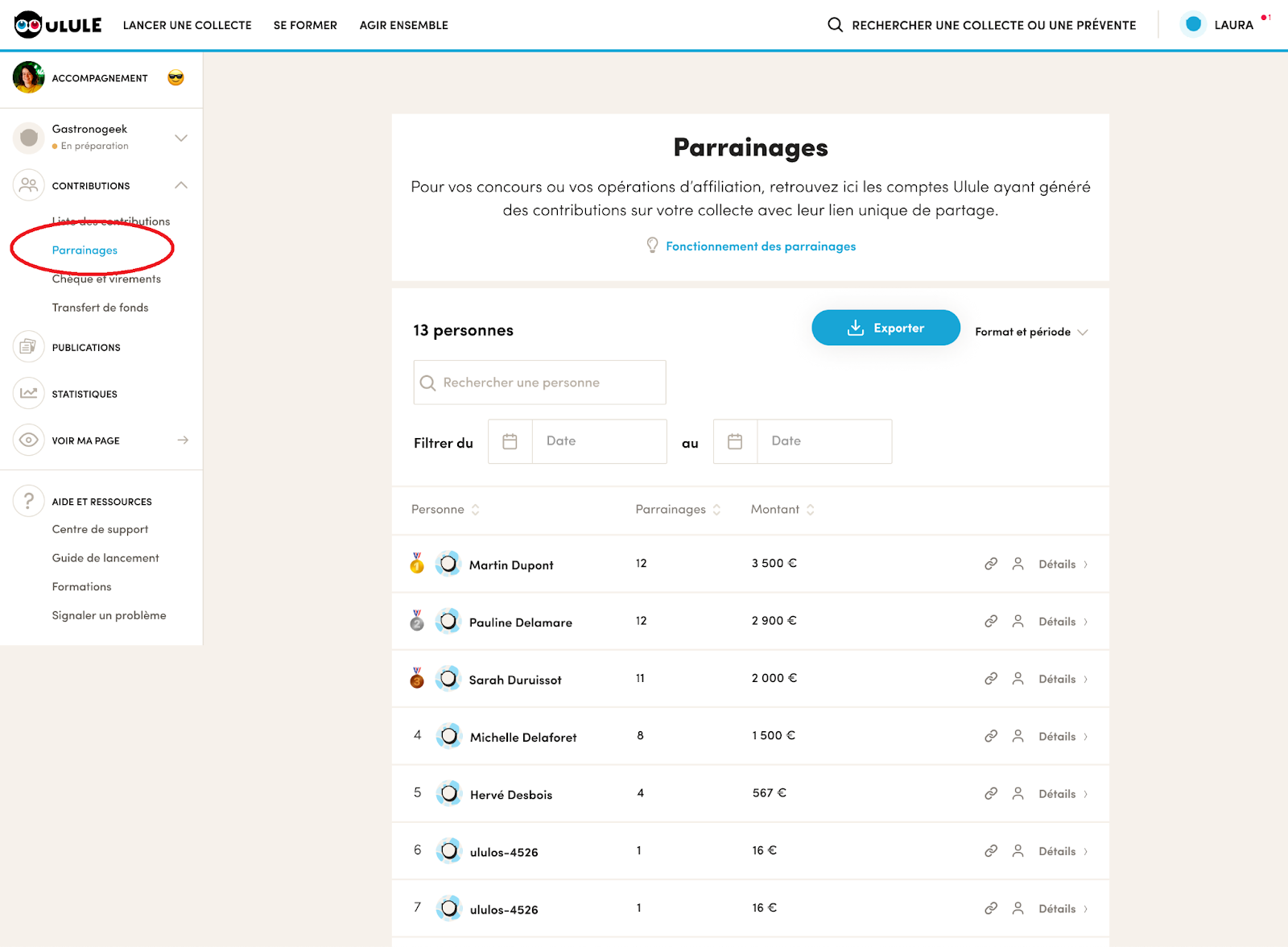
There, you can see the Ulule usernames of the people who shared your campaign and whose shares generated at least 1 contribution, along with the number and amount of the contributions they brought in. If they backed your campaign, you can also see their email address to contact them.
When you export the referral data, you can also see the specific contributions that came from each referrer.
Click “details” to see all the contributions generated by a referrer, with a button to notify them of these results by email.
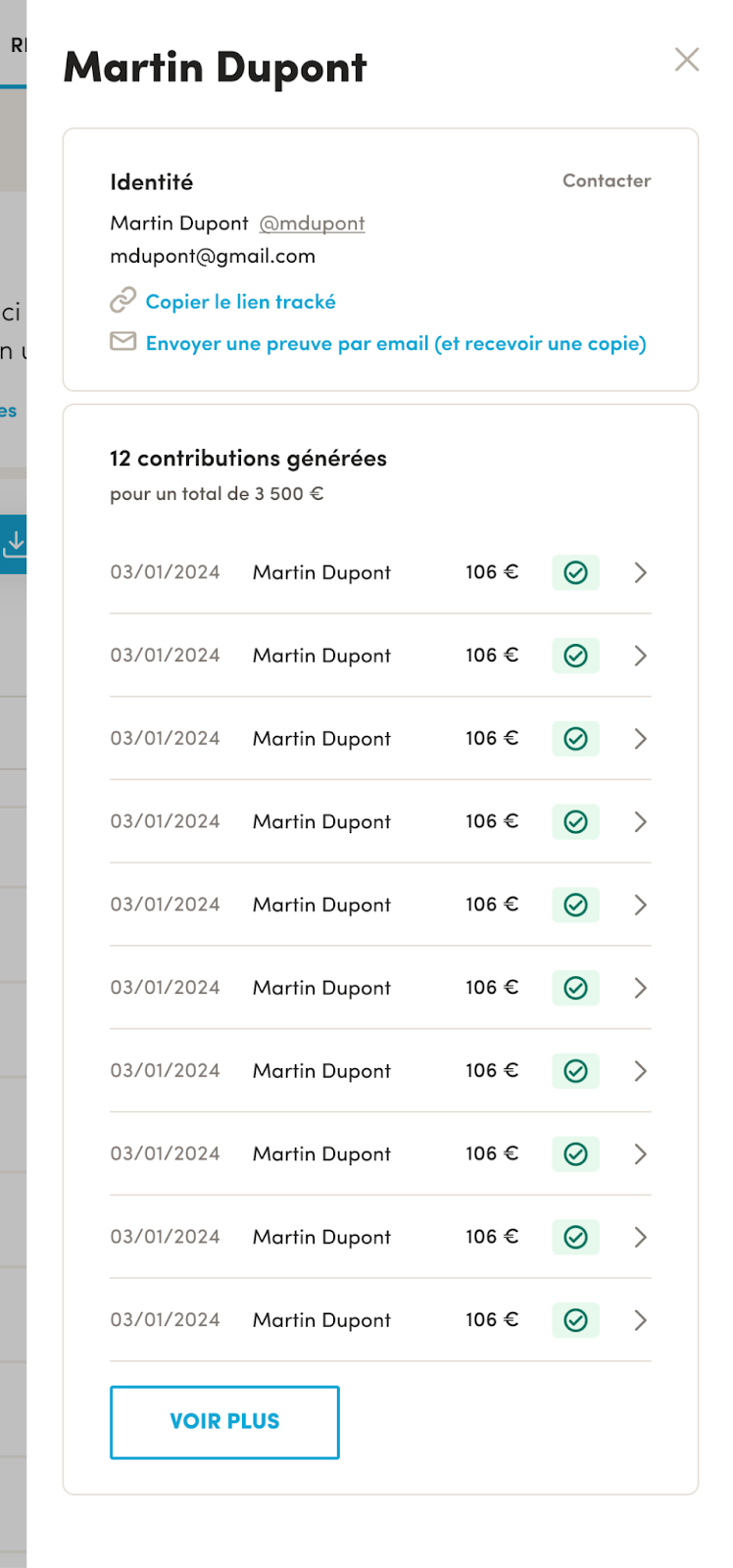
This is especially useful if you work with an influencer or a media outlet paid on performance, and want to give them Ulule data on the contributions they generated.
Note: as the project owner, you only receive the names and/or email addresses of your campaign's backers. If someone hasn't backed your campaign but wants to take part in your referral contest, you'll only see their Ulule username, not their email address or other personal information, because of our privacy policy. Plan for this when you set up your contest.